

The BlockBee Telegram Bot helps you earn from your Telegram channel or group. You sell subscriptions, buyers pay in crypto, and the bot manages who is in the chat. It is a Mini App: you set everything up in an app inside Telegram.
Automated User Management
When a buyer subscribes, your bot gives them an invite link that works once, and only for them. Only paying subscribers get in. When a subscription ends, the bot removes the member from the chat. Before it ends, the bot reminds them to renew.
How to use it?
Create your Telegram Bot
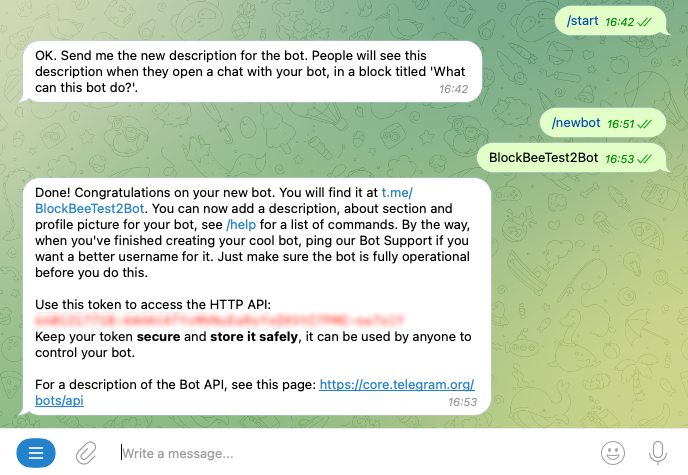
Your store runs in a bot you own. Create it with @BotFather:
- Open @BotFather and send
/newbot. - Choose a name, then a username. The username must end in "bot" (e.g.
MyStoreBot). - BotFather replies with a token. Copy it, and don't share it with anyone: whoever has it controls your bot.
- Open your new bot and press Start.
Open BlockBee in Telegram
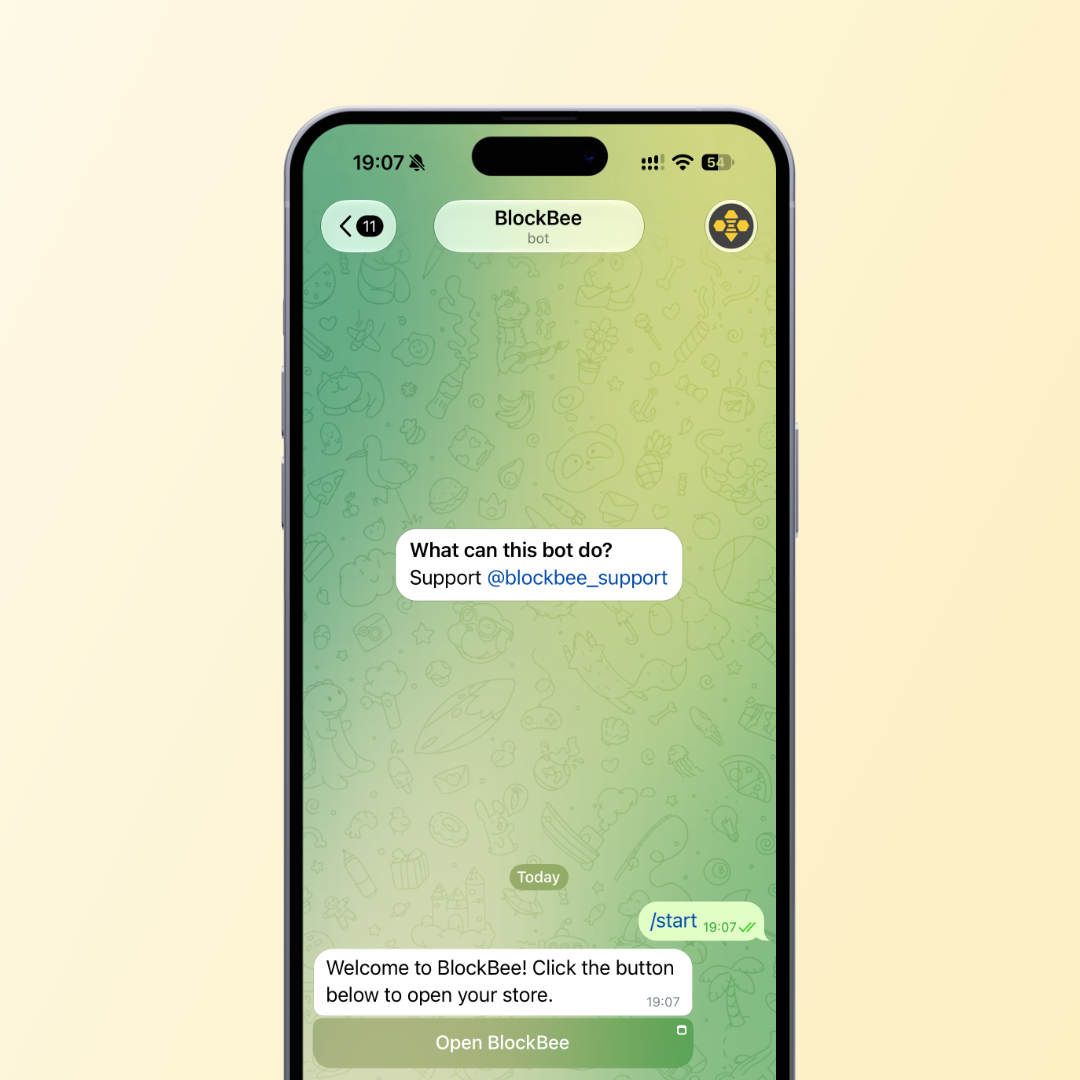
Open @blockbee_bot and tap Open BlockBee. Log in with your BlockBee account the first time. No account yet? Create one first.
Set up your store
In the app:
- Set your wallet addresses. Payments go to the addresses you set.
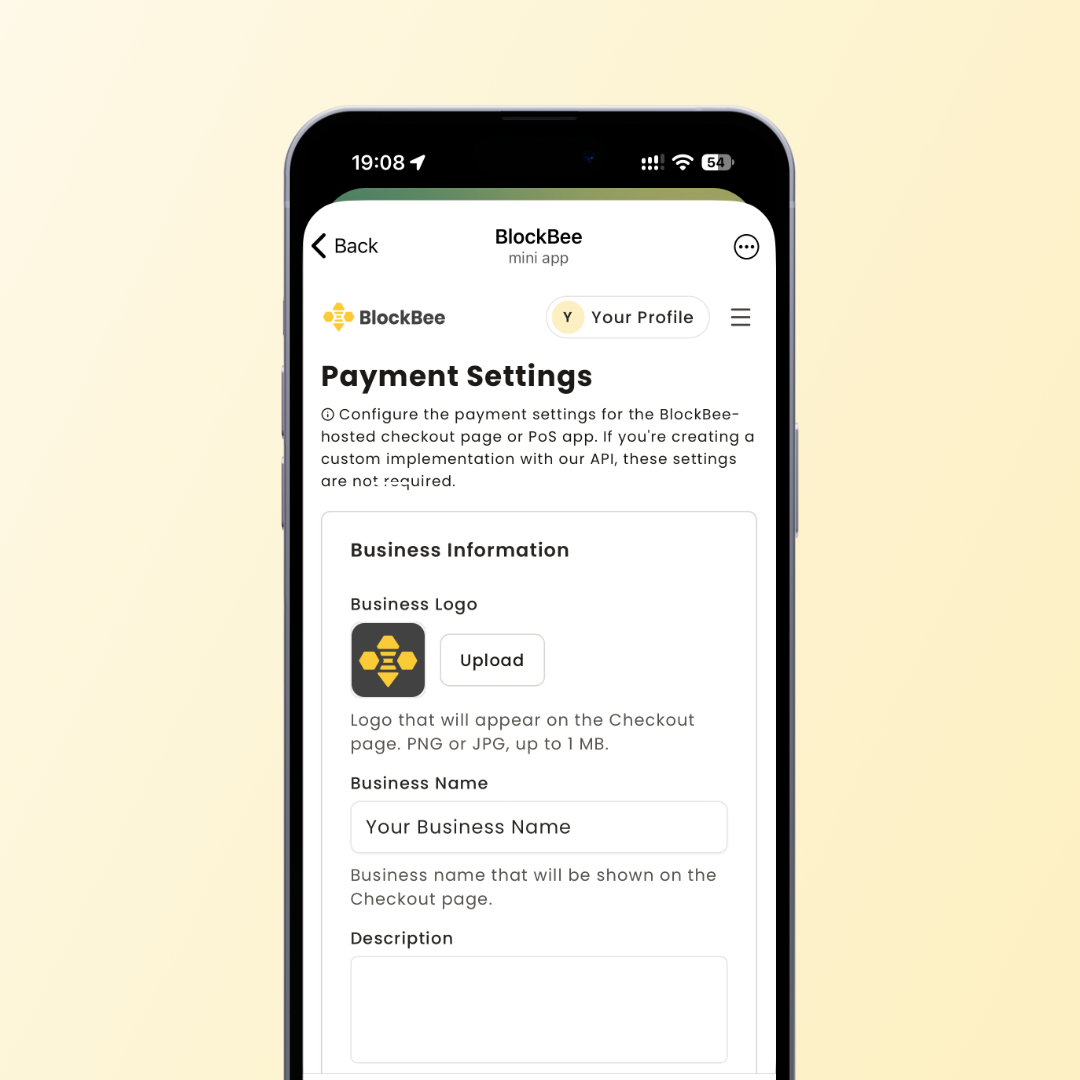
- Open Payment Settings. Add your logo, choose your currency and pick the coins you accept. Buyers can't see your store until it has a logo.
- Open Subscriptions. Set up the subscription service (it only needs a name), then add a plan for each price and duration you offer.
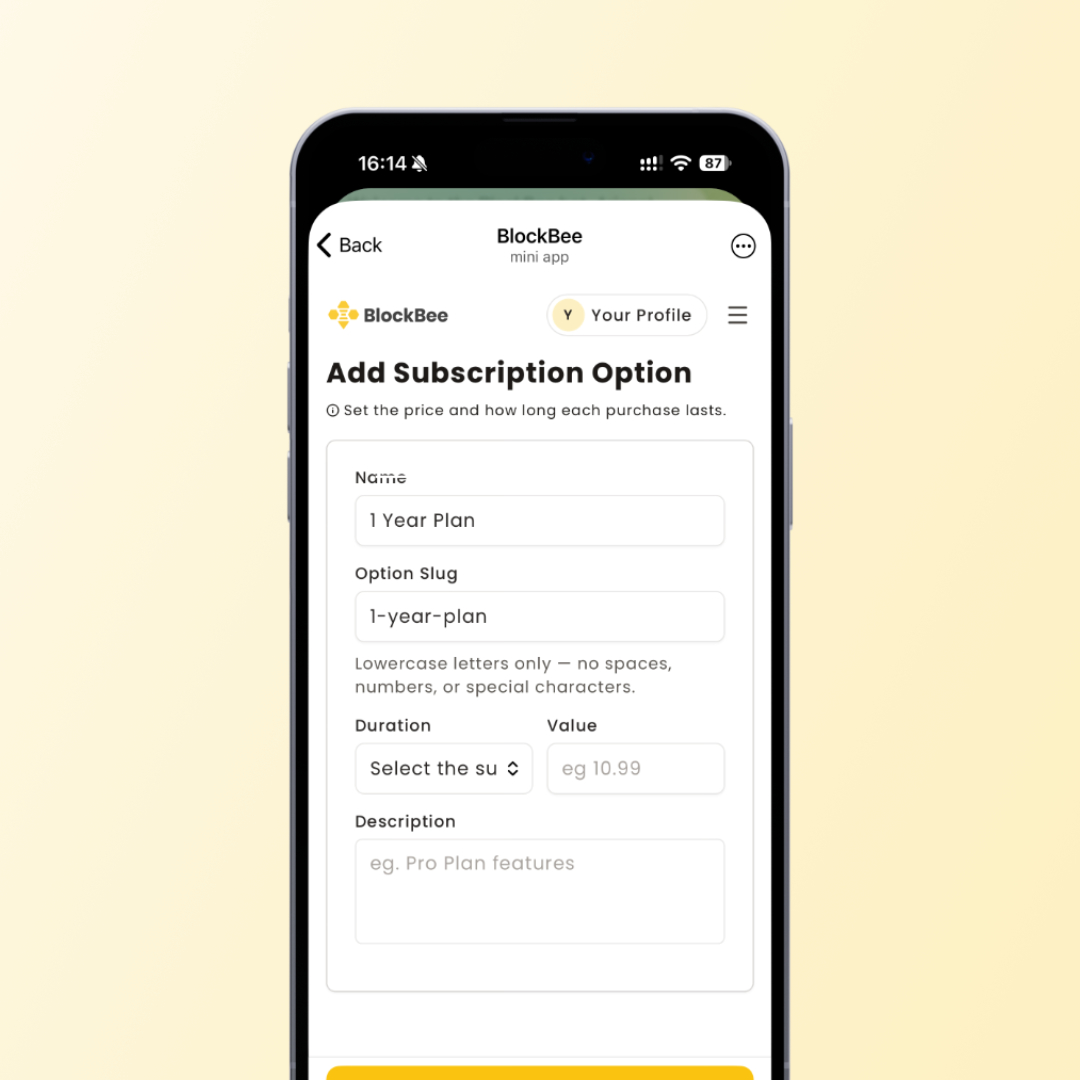
Note: Prices are in the currency set in your Payment Settings. Buyers pay the matching amount in the coin they pick.
Connect your bot and link your channel
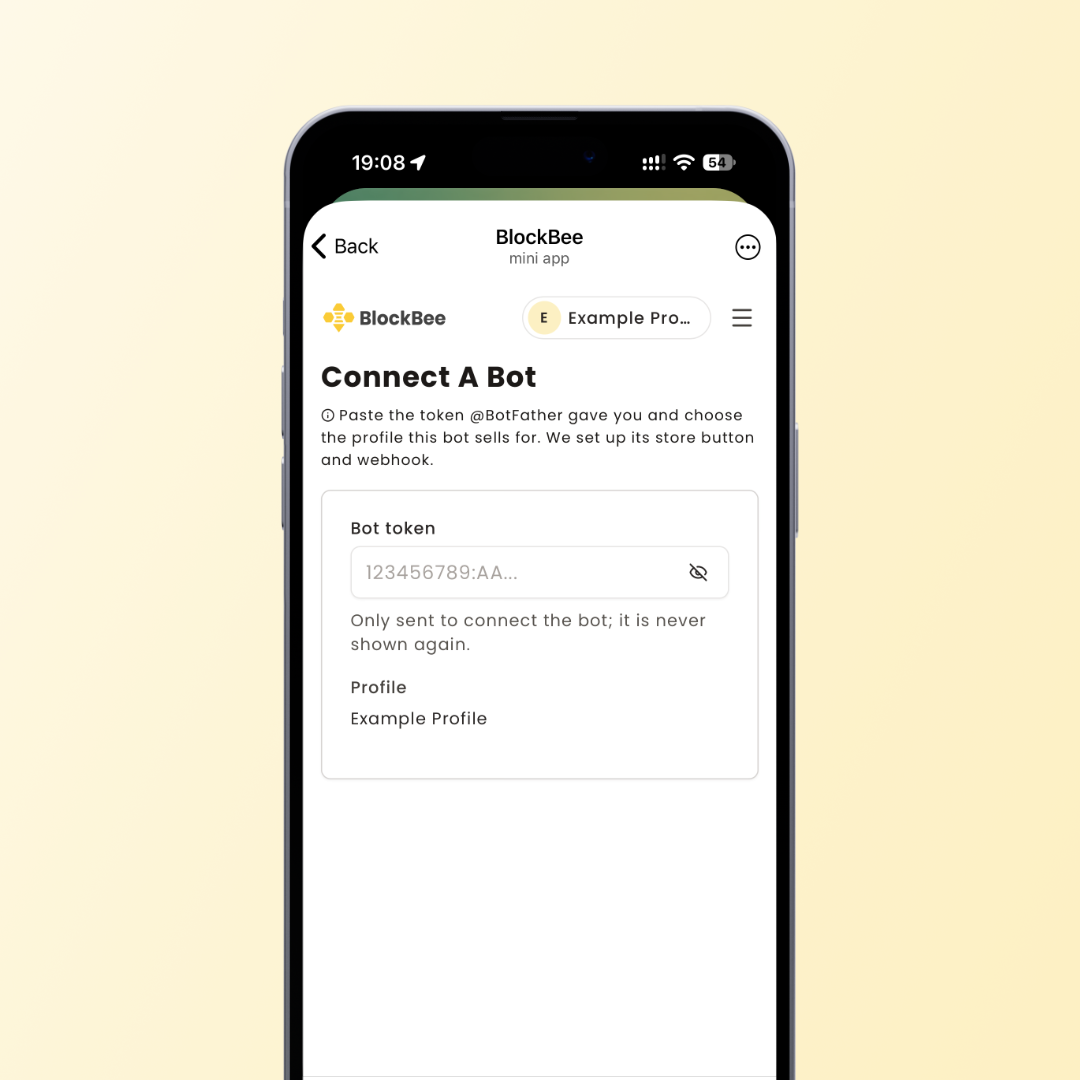
- In Bots, tap Connect a bot and paste the token from @BotFather.
- Add your bot to your channel or group as an administrator, with the rights to invite and to restrict (ban) members.
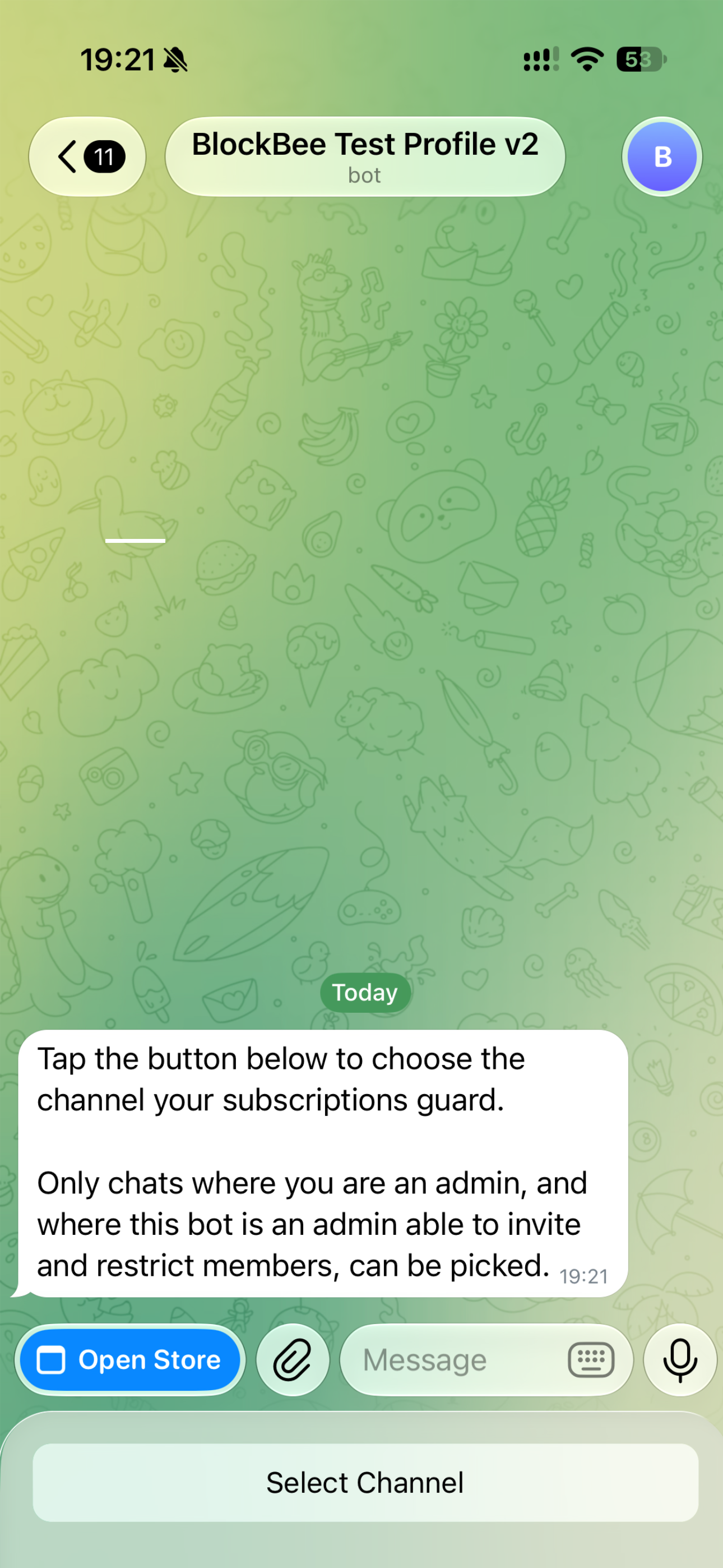
- In Bots, open your bot and tap Link channel or Link group. BlockBee sends a button to your bot's chat: tap it and pick your channel or group.
Activate the bot
In Bots, open your bot and tap Activate. While it is active, the bot removes members whose subscription has ended and sends renewal reminders.
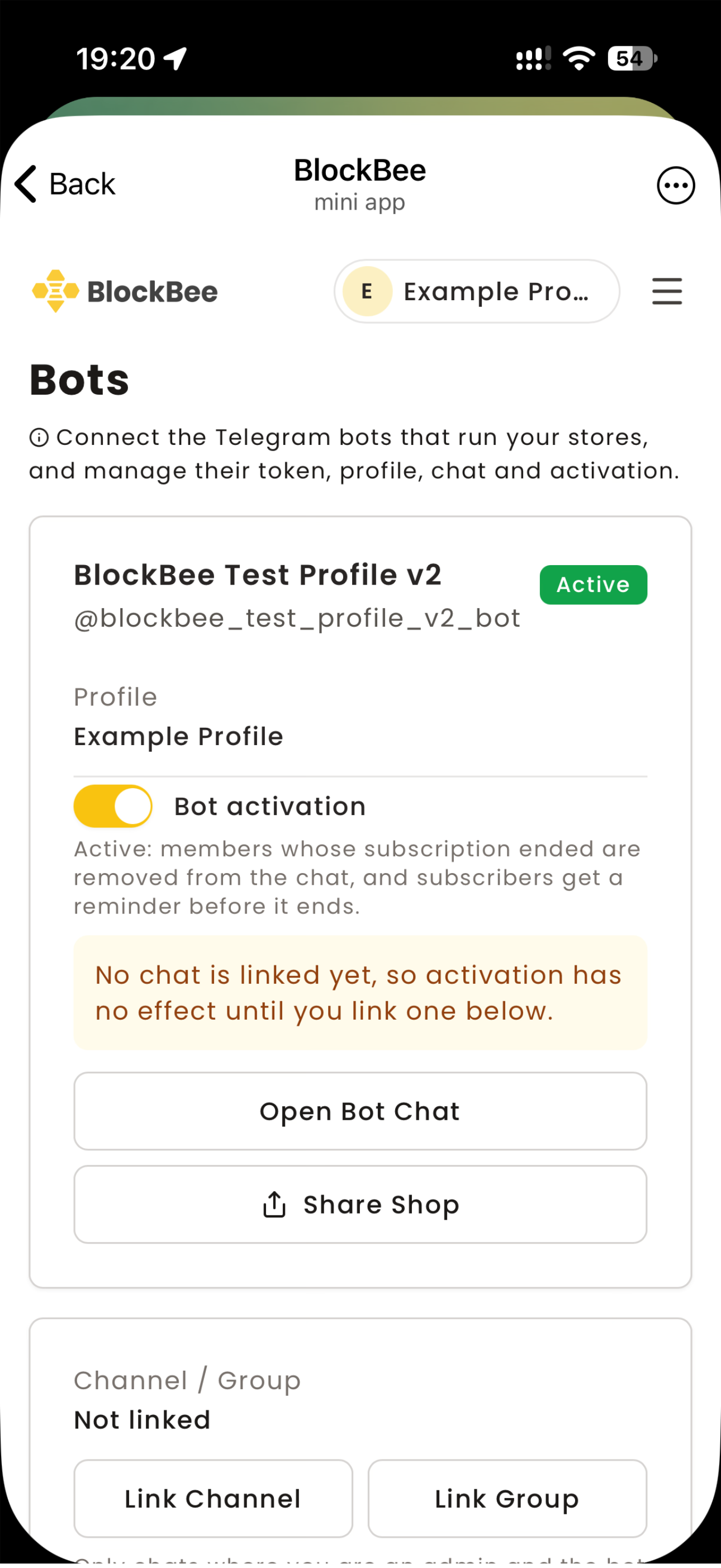
Important: Activating may remove members of your chat who don't have an active subscription.
Your Bot is Ready!
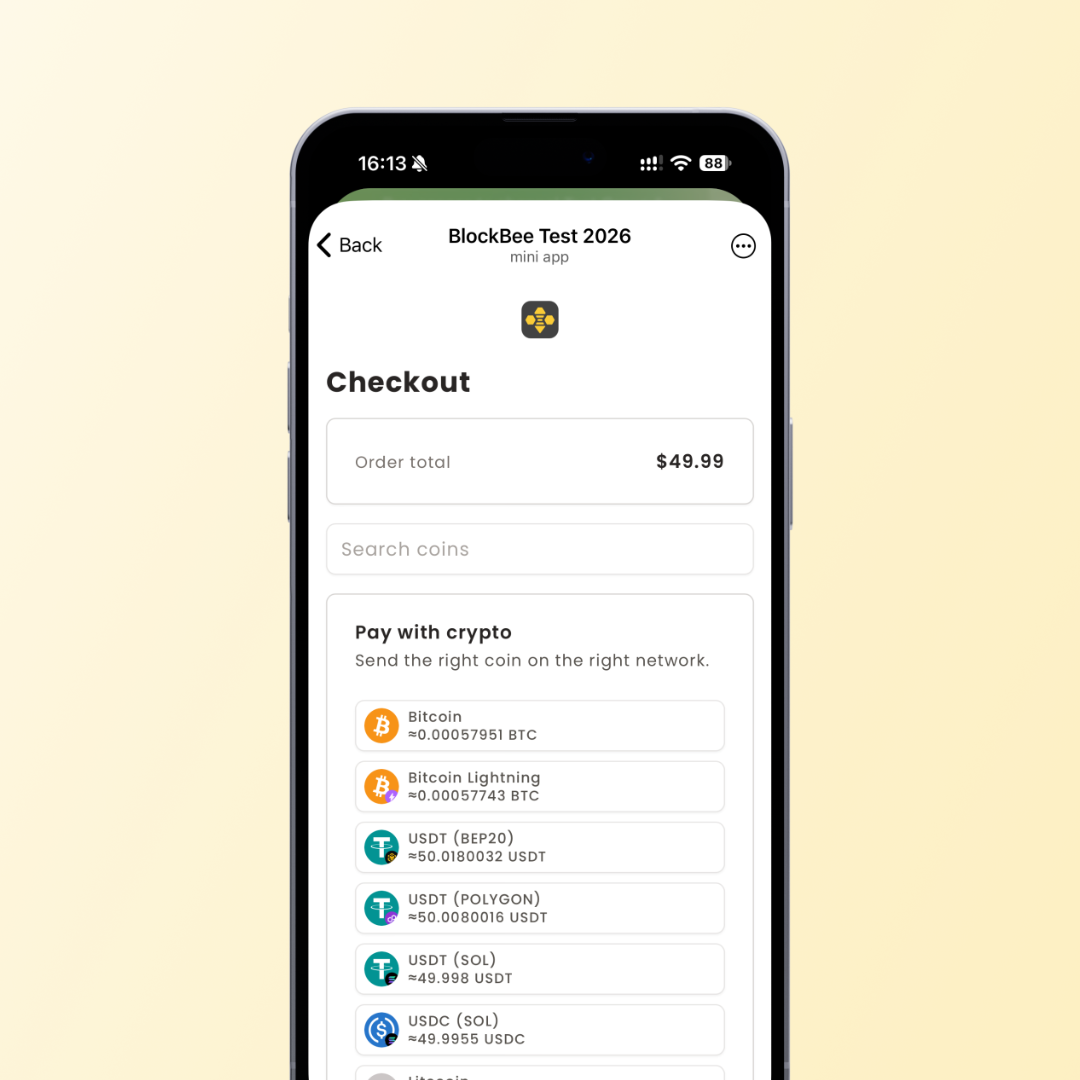
Share your bot's link (t.me/YourStoreBot) with your audience. Buyers tap Open Store to see your plans, pay in crypto and get their invite link.
Pro Tip: Use coupons to run promotions, and check Subscriptions to see who is active and when each subscription ends.