

To get started with BlockBee, it's crucial to set up your wallet addresses to receive payments. You can do this by defining your addresses in the API call or through the dashboard.
To simplify the process, addresses on blockchains that support tokens will also work with all supported tokens. You can find the full list of supported cryptocurrencies on this page.
Important: It's essential to select the correct address when making transactions, as lost funds cannot be recovered. Double-check that you have selected the appropriate address before proceeding with any transactions.
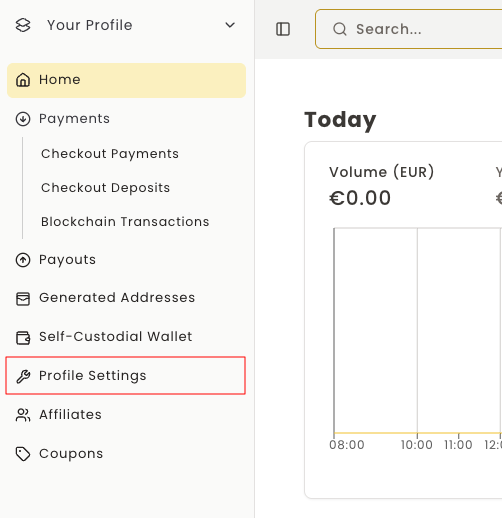
Step 1: Navigate to Settings
First you need to go to your Settings.
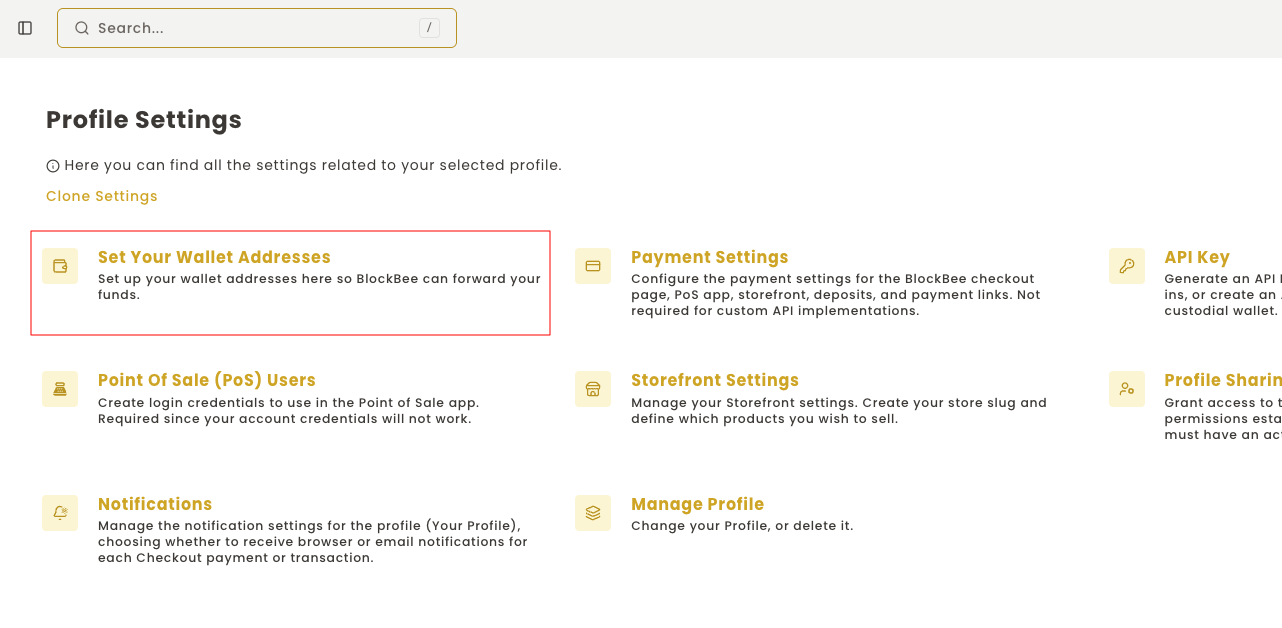
Step 2: Access Wallet Addresses
Then you must select Set your wallet addresses.
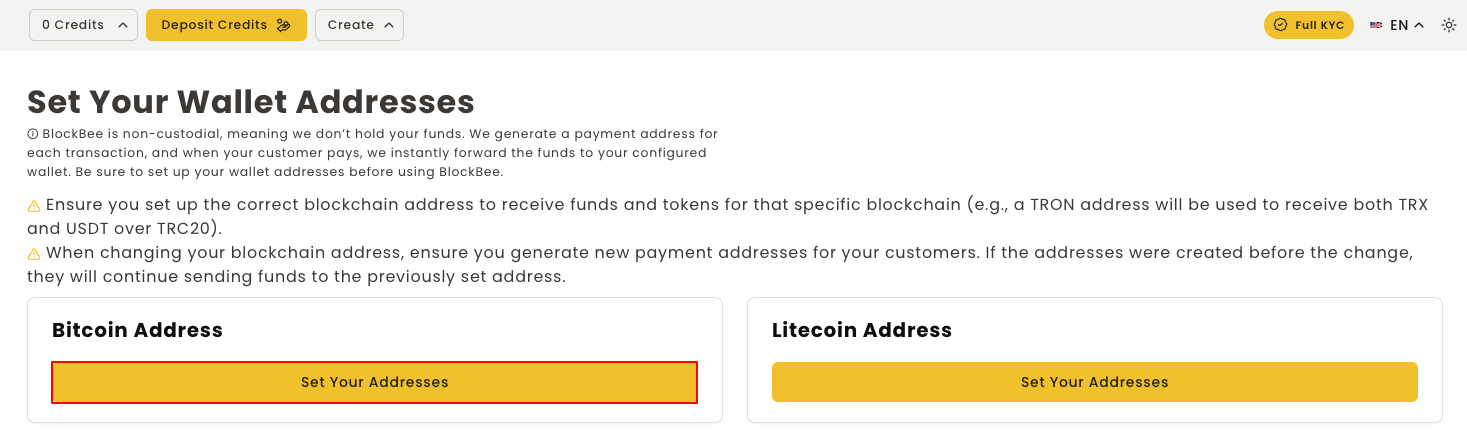
Step 3: Choose Blockchain
Each block contains the addresses respective to each blockchain. To set up your wallet address on the desired blockchain, click SET YOUR ADDRESSES.
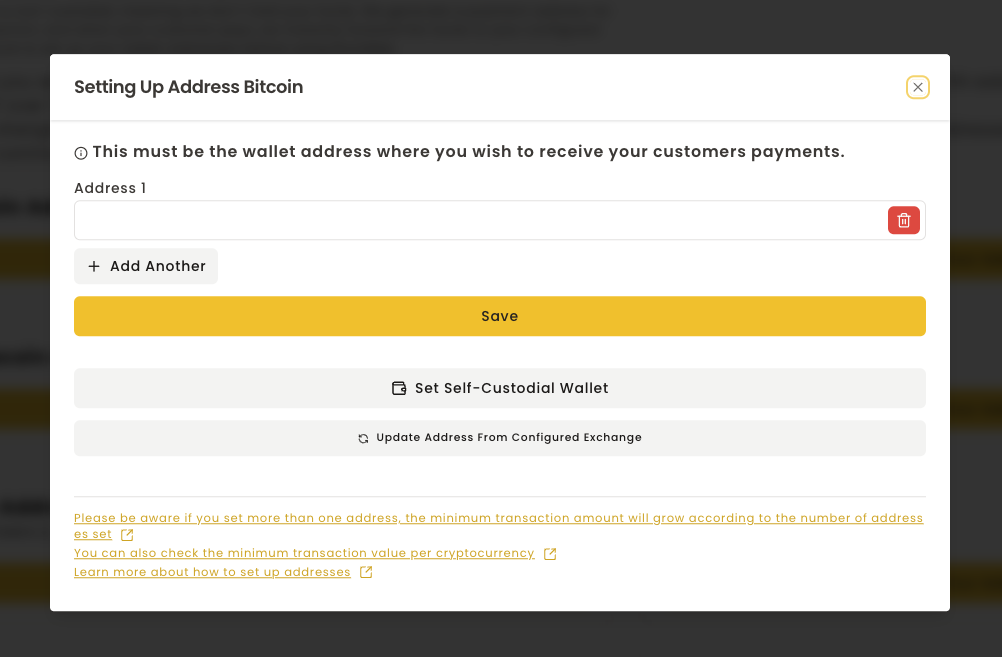
Step 4: Add Your Address
You will need to fetch your cryptocurrency address from your wallet or exchange, and then paste it in Address 1, and then click SAVE.
If you wish to add more addresses, you will need to click ADD ANOTHER +, and set the percentages (percentage sum must be 100%, otherwise form will fail saving).
Multi-Address Setup
When using multiple addresses:
- Click ADD ANOTHER + to add additional addresses
- Assign a percentage to each address
- Ensure all percentages sum to 100%
- The system will automatically distribute payments according to these percentages
Your wallet addresses are now configured and ready to receive payments!