

BlockBee's Payouts allow you to send multiple transactions with a single transaction in your Wallet. This service is only available for Ethereum, Binance Smart Chain, Polygon and Tron. Create payout requests, select the ones you wish to pay and send the Payout.
Before creating a payout, ensure you have upgraded to API Key V2 and have access to your Self-Custodial Wallet.
Supported Blockchains
Payouts are currently available for:
- Ethereum (ERC-20 tokens)
- Binance Smart Chain (BEP-20 tokens)
- Polygon (MATIC tokens)
- Tron (TRC-20 tokens)
Step 1: Access the Create Button
In the BlockBee Dashboard, click the Create button to start creating a new payout.

Step 2: Navigate to Payout Requests
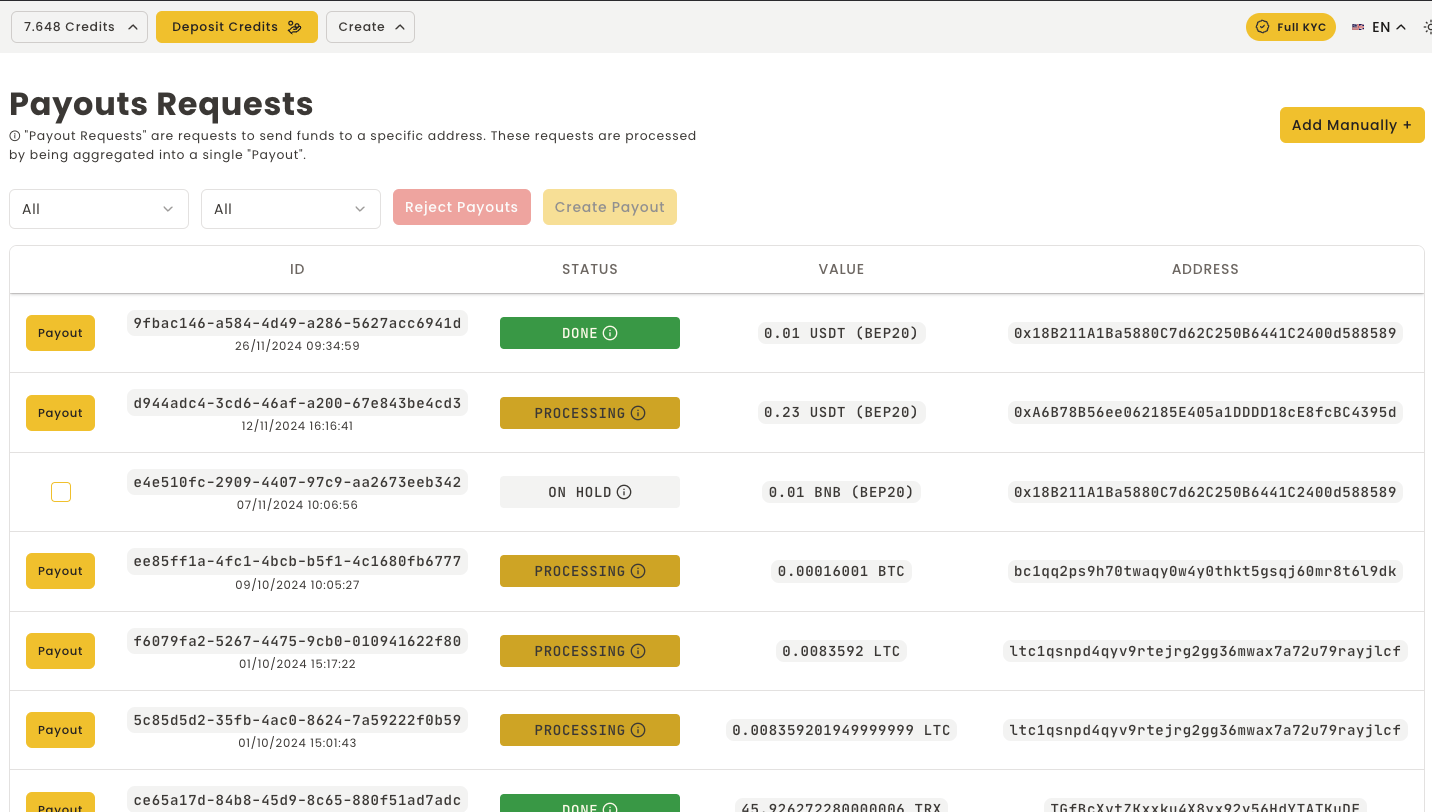
Select the Payout Requests tab to view all available payout requests that can be processed.

Step 3: Select Requests to Pay
Choose the payout requests you wish to include in this payout transaction. Then click Create Payout.
Important: All selected payout requests must be for the same cryptocurrency. You cannot mix different cryptocurrencies in a single payout transaction.
Step 4: Process the Payout
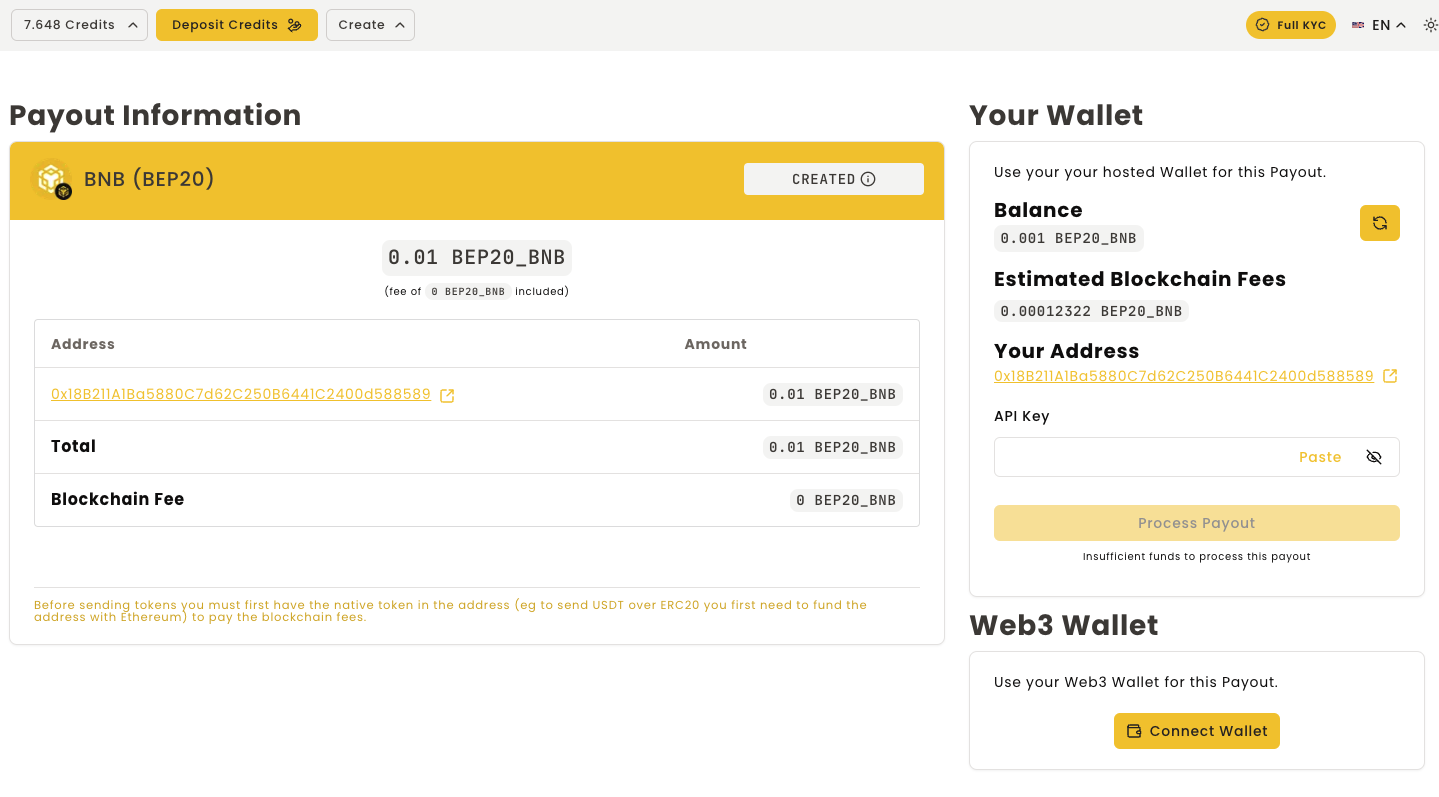
Finally, you will need to process the payout using one of these methods:
- API Key V2: Use your API Key V2 to authorize the transaction
- Connect Wallet: Connect your wallet directly to sign the transaction
Note: If you're processing TRC-20 tokens on the Tron network, you'll need to have the TronLink browser extension installed to complete the transaction.
After processing, you'll see the transaction ID and the status will change to Done.
Payout Complete!
Your payout has been successfully created and processed. All selected recipients will receive their payments in a single blockchain transaction, saving you time and reducing individual transaction costs.
Efficiency Tip: Batch multiple payout requests together to minimize blockchain fees and streamline your payment operations.
Next Steps
- Monitor your payout transactions in the Dashboard
- View transaction details on the blockchain explorer
- Create additional payout requests as needed
- Check your Self-Custodial Wallet balance