

By default all API Keys created are an API Key V1, meaning that if you want to have an API Key V2 you must upgrade first.
If you wish to start using our Automated Payouts feature right away, the process to create the API Key V2 is as follows: Create an API Key V1, upgrade to API Key V2.
Learn more about the differences between API Key versions in our API Key V1 vs V2 comparison.
Important Notice
Critical: Even though it's a simple process, your maximum attention is required. The Recovery Key is essential for accessing your funds. Losing both the API Key V2 and Recovery Key will result in permanent loss of funds.
Part 1: Creating API Key V1
Step 1: Navigate to Profile Settings
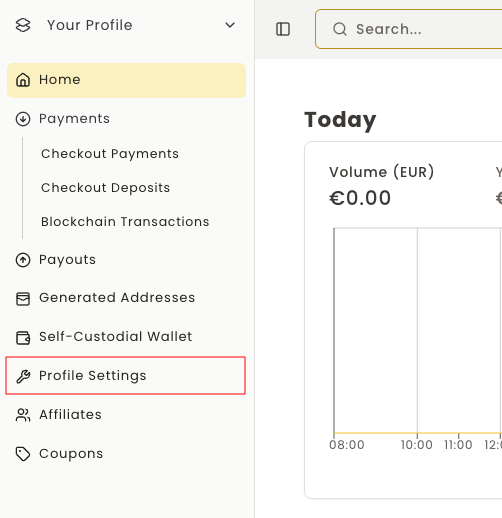
In the BlockBee's Dashboard, click "Profile Settings".
Step 2: Access API Key Section
Being in your Company settings, select API Key.

Step 3: Configure API Key Permissions
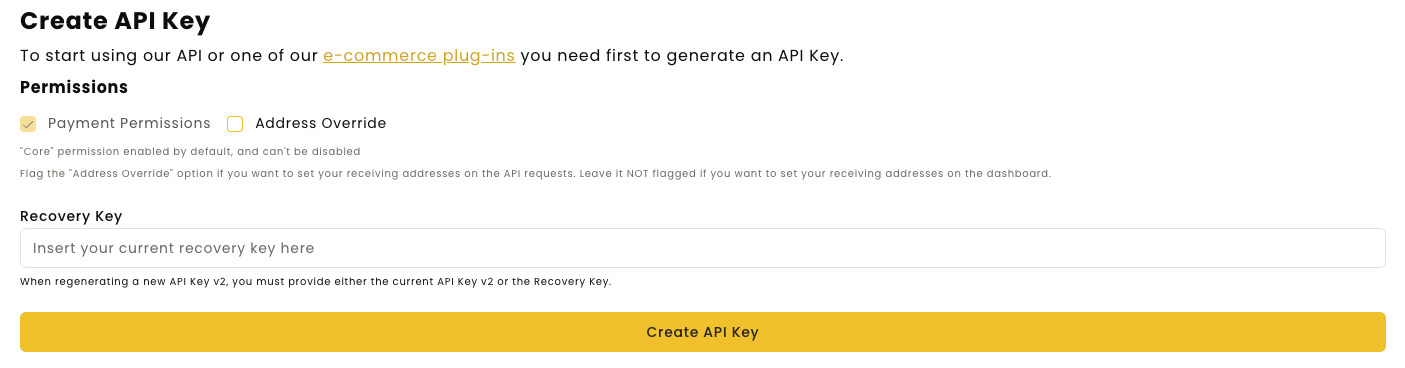
Creating an API Key is rather simple. You just need to select the permissions you wish to enable. Right now we only have one, which is Address Override, which allows you to set your wallet address right in the API request using the address parameter. If you don't wish to do this, you may leave it disabled.
To actually create an API Key you will need to press CREATE API KEY and fill the OTP code.
Step 4: Save Your API Key V1
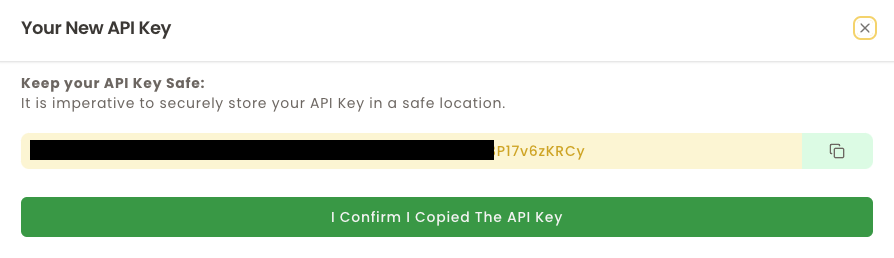
After the previous step, a pop-up will show with your API Key. In this step you only need to copy the API Key and store it in a safe place.
Important: BlockBee does not store your API Keys, so if you lose your API Key, you will need to generate a new one using the Generate new API Key button.
Part 2: Upgrading to API Key V2
Step 5: Initiate Upgrade
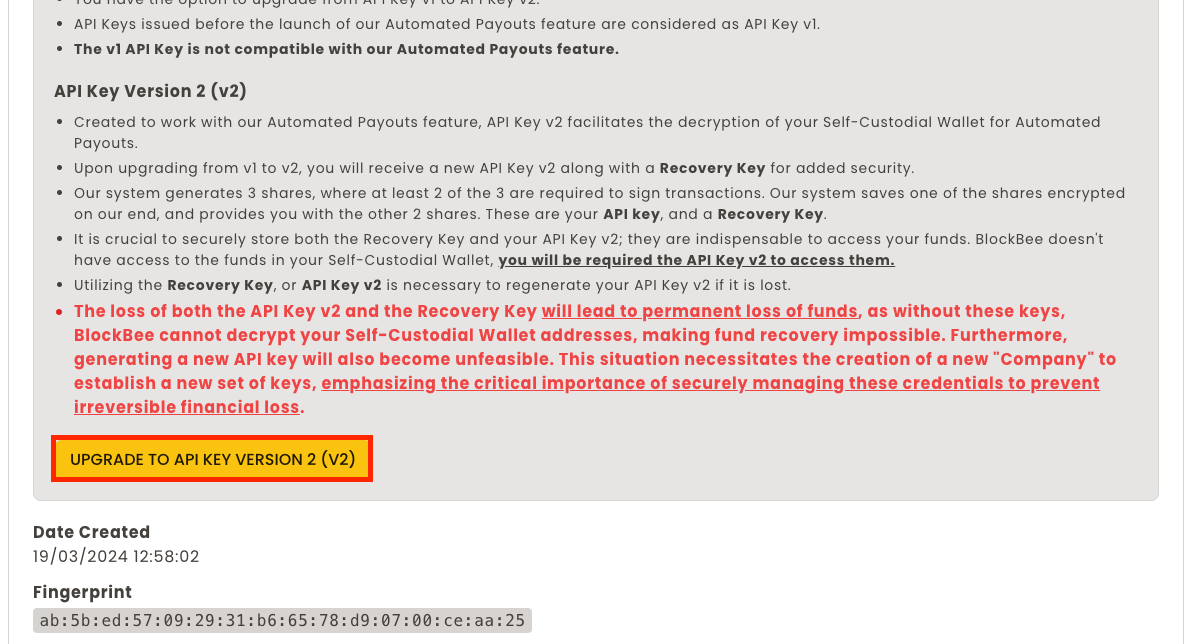
After generating the API Key V1, you should click the "Upgrade to API Key Version 2 (V2)" button (if you don't see it contact us).
Step 6: Save API Key V2 and Recovery Key
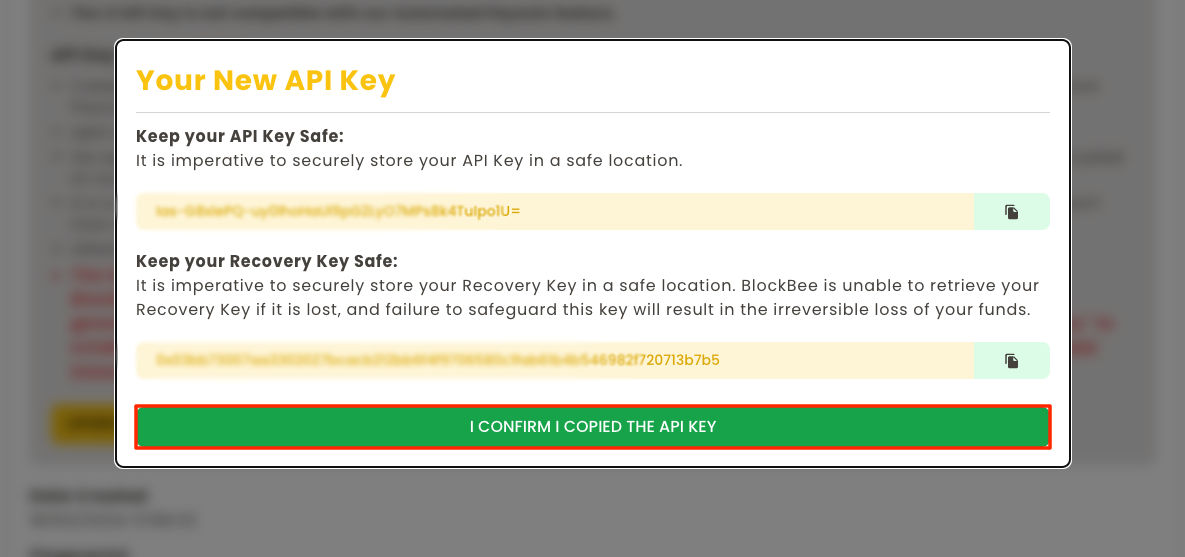
After authenticating you will be shown a modal with both your API Key V2 and your Recovery Key.
Critical Information:
The Recovery Key can be used both to:
- Access the funds in your Self-Custodial Wallet
- Reset the API Key V2 in case you lose it
Losing both will cause a permanent loss of funds, since BlockBee will be unable to decrypt your Self-Custodial Wallet.
It's imperative you copy both keys and store them in a safe place. Treat them as the seed phrase of your Wallet.
After storing the keys securely you will need to click I confirm I copied the API Key.
Step 7: Confirm Recovery Key
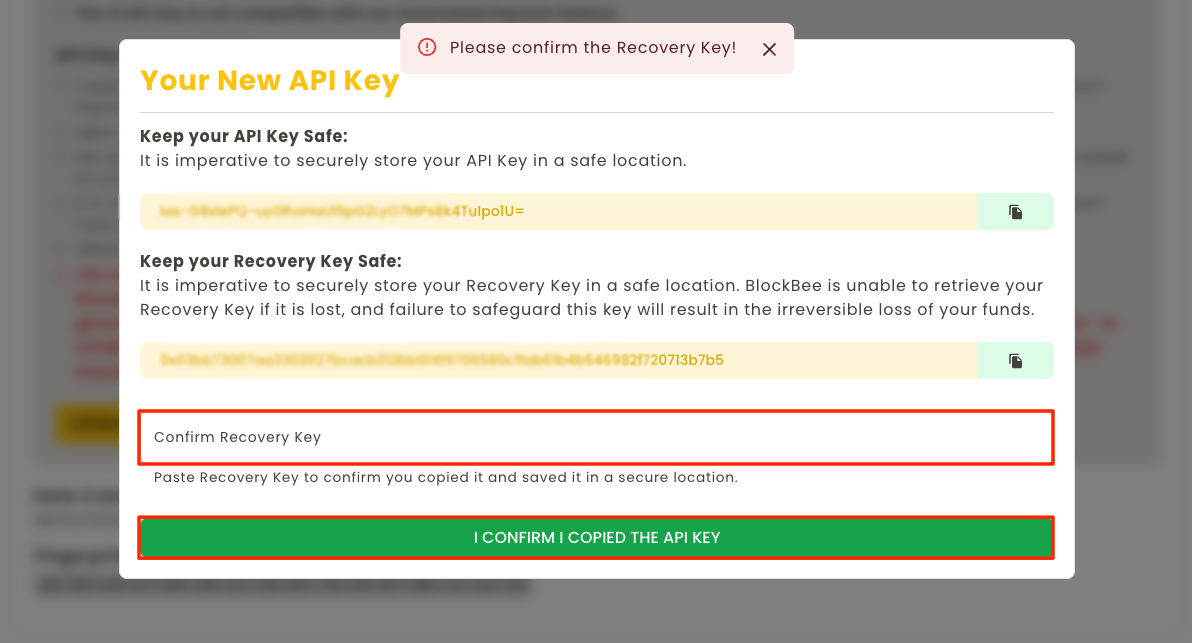
Finally you will be prompted to confirm the Recovery Key to make sure that you actually copied it.
Upgrade Complete!
Congratulations! You've successfully upgraded to API Key V2. You can now use the Self-Custodial Wallet and Automated Payouts features.
Remember: Store your API Key V2 and Recovery Key in separate, secure locations. Consider using a password manager or secure vault for storage.
Next Steps
Now that you have API Key V2, you can:
- Create payouts to send multiple transactions
- Check your Self-Custodial Wallet balances
- Use advanced features requiring V2 authentication