

In this article we will guide you through setting up Binance with our service. It's a simple process and will allow you to make automation conversions when using our service (more information on that here).
You need to go to your Binance account and create an API Key to provide to BlockBee.
Part 1: Creating Binance API Key
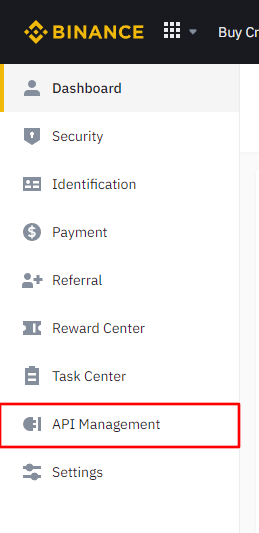
Step 1: Access API Management
In your Binance account click API Management.
Step 2: Create API
In API Management click Create API.

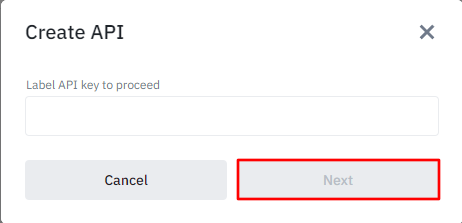
Step 3: Set API Label
After clicking Create API a modal will open where you'll need to set a label for your API Key. In this case you can set "BlockBee" as the label and click Next (after clicking next you will need to confirm your account credentials).
Step 4: Configure API Key Permissions
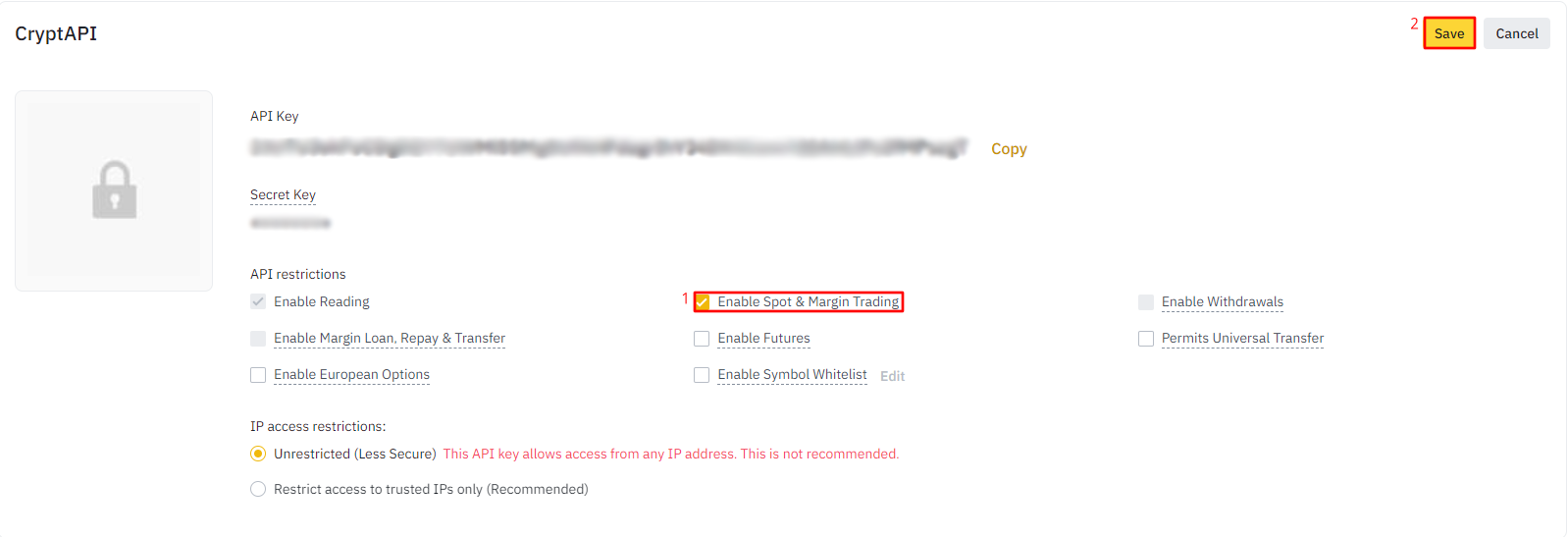
Clicking Next will take you to the API Key page where you will need to copy both the API Key and Secret Key to somewhere safe.
Important: Please don't lose your Secret Key otherwise you will need to create a new API Key.
You will also need to enable a permission called Enabled Spot & Margin Trading so BlockBee is able to convert the values paid to your Binance address. After it's done you must click Save to save the settings.
Note: You must also add our IPs to the IP access restrictions. You must select the option "Restrict access to trusted IPs only" and add these IPs:
51.77.105.132135.125.112.47
Part 2: Configuring Binance in BlockBee Dashboard
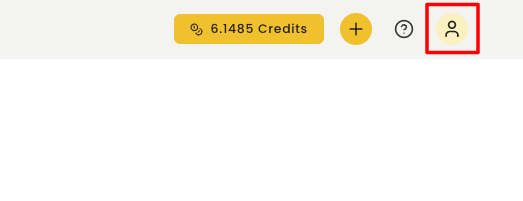
Step 5: Access User Menu
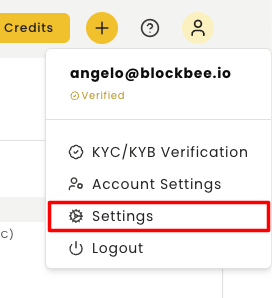
After having your API Key created, go to BlockBee's Dashboard, and click in the user icon.
Step 6: Navigate to Settings
Then select "Settings".
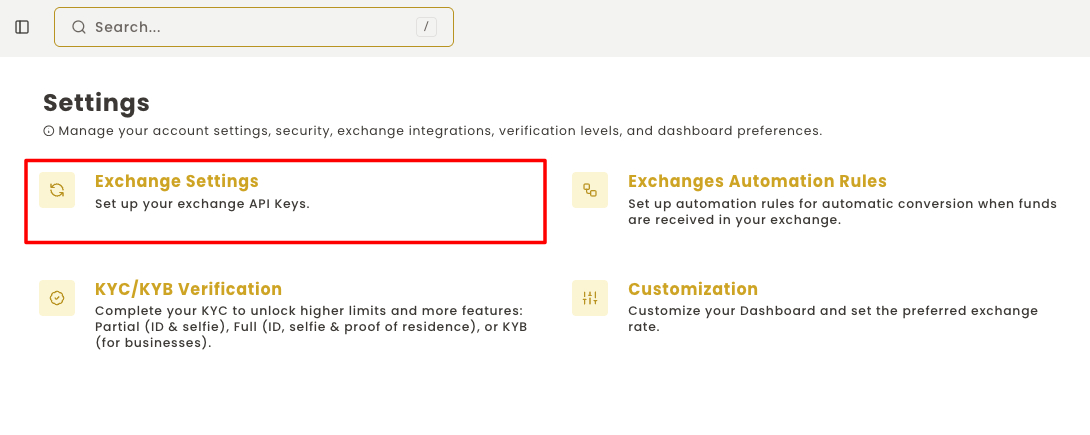
Step 7: Open Exchange Automation Rules
In the settings, select "Exchange Automation Rules".
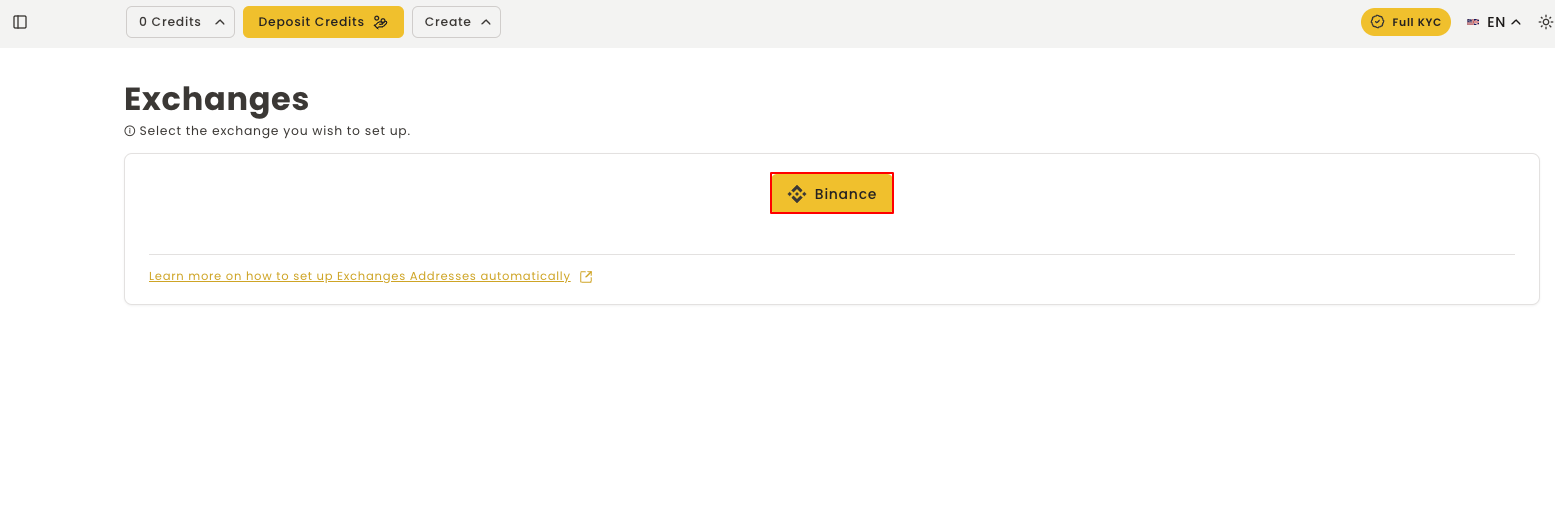
Step 8: Select Binance
In the exchange list you need to select Binance.
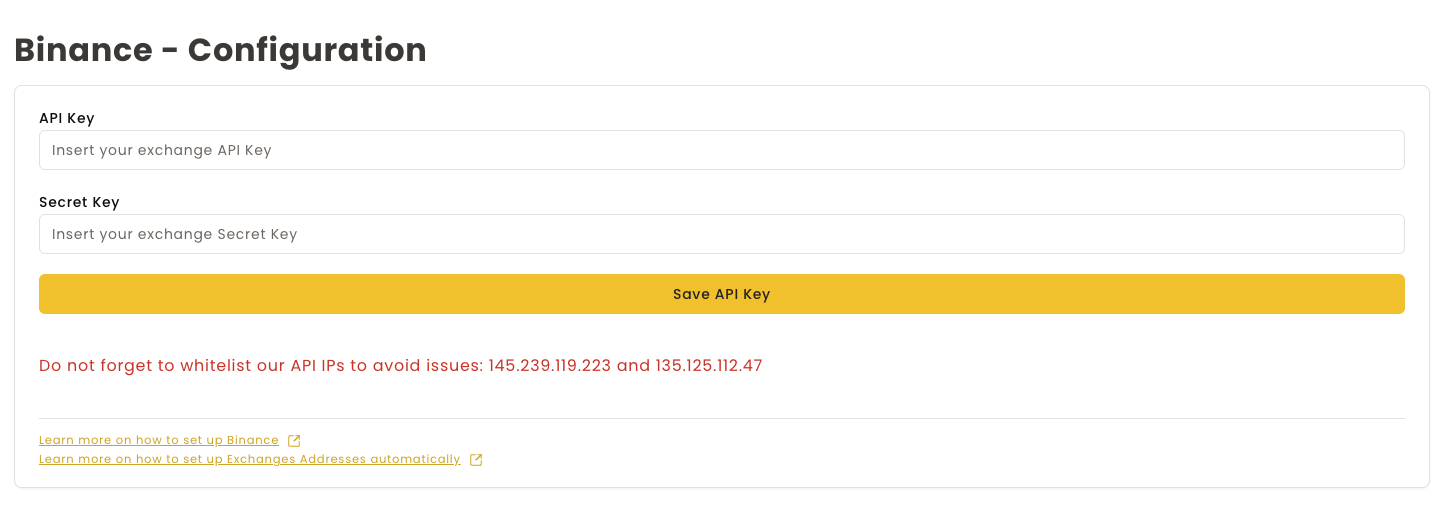
Step 9: Configure API Keys
Once you've selected Binance, you'll be directed to a configuration form where you'll need to paste your API Key and Secret Key. Once you've entered these keys, click on the Save API Key button.
Important: After saving your settings, your API Key and Secret Key will no longer be visible. If you need to change your API Key, you'll need to delete your configuration and start over.
Next Steps
Having your Binance configuration set, you will need to:
- Set the addresses to your Binance address
- Set the automation rules for automatic conversions
Important Notes
Binance Transaction Minimum: To convert cryptocurrency on Binance using API, be aware that there is a $10 minimum limit for transactions. Ensure that you transact cryptocurrencies with a minimum value of $10 to avoid any issues.
Your Binance exchange is now configured and ready to automate cryptocurrency conversions!